MOBILE APPS FOR TEAMS ON THE MOVE
Work moves.
Your app should
keep up.
In the field. Between sites. Beyond the signal.
Purpose-built mobile software that keeps the work moving and the information in sync.

Start where the work happens.
An app is only useful if it fits the day around it. A colleague may be outside, moving between locations, sharing a device or trying to complete a task before the connection drops. We begin with those conditions, not a desktop workflow squeezed onto a phone.
SYNQ MOBILITY LTD builds mobile software around field tasks, local data and reliable communication with existing systems. We help decide what should happen on the device, what needs the server and what a person should see while the two are catching up. The aim is a clear working process, with its limitations understood before rollout.
Different needs.
One joined-up route.
A useful field application connects three kinds of work: completing the task, keeping information consistent and looking after the app over time. These should be designed together even when they are commissioned in separate phases. A polished capture screen cannot compensate for an unclear synchronisation rule.
We can begin with one route rather than replace everything at once. An existing app may need a better offline queue; a new workflow may need a focused mobile build; a stable app may need maintenance and clearer device guidance. The starting point follows the problem, not a fixed package.
Offline is not
an error message.
Some tasks should continue when the signal does not. We identify the records that can safely be available locally and the actions that can be queued. Equally important is identifying the actions that still require an online check. Offline-first is a set of agreed behaviours, not a promise that every feature works without limits.
The interface should explain whether work is on the device, waiting to send or confirmed by the server. People need confidence without misleading reassurance. We plan storage, freshness, sign-out and device-loss considerations alongside the capture flow, then test the transitions that are easy to overlook on a reliable office connection.
When the connection returns,
the rules still matter.
Two people may change the same record. A request may reach the server even if the response never reaches the phone. A photo may take longer to upload than the form around it. These are normal mobile conditions, and a synchronisation design needs to account for them.
We agree data ownership, record versions, retry behaviour and duplicate protection with you. Where a conflict needs a person to decide, the app should provide a visible route to resolution. Existing APIs and authentication systems can constrain the options. We review them early and explain the trade-offs instead of hiding them behind a generic “sync complete” message.
Is your workflow
ready to leave the office?
A few practical answers can reveal what needs attention before a field-app brief becomes a build. This local checklist is a conversation starter, not a security audit or certification. Tick only the statements you can support today. Your answers are neither saved nor sent.
Missing answers are useful: they identify decisions for discovery. Device ownership, data sensitivity and the behaviour of the current backend can materially change the design. A short investigation is often more responsible than treating those unknowns as implementation details.
Select what is already clear, then check the route.
Less friction.
Not more fields.
A mobile workflow should make the next action obvious. We consider touch targets, readable labels, validation and recovery from interruption. The right design may remove a field, break a long task into sensible steps or show information only when it is needed. It should not depend on a user remembering an unwritten office convention.
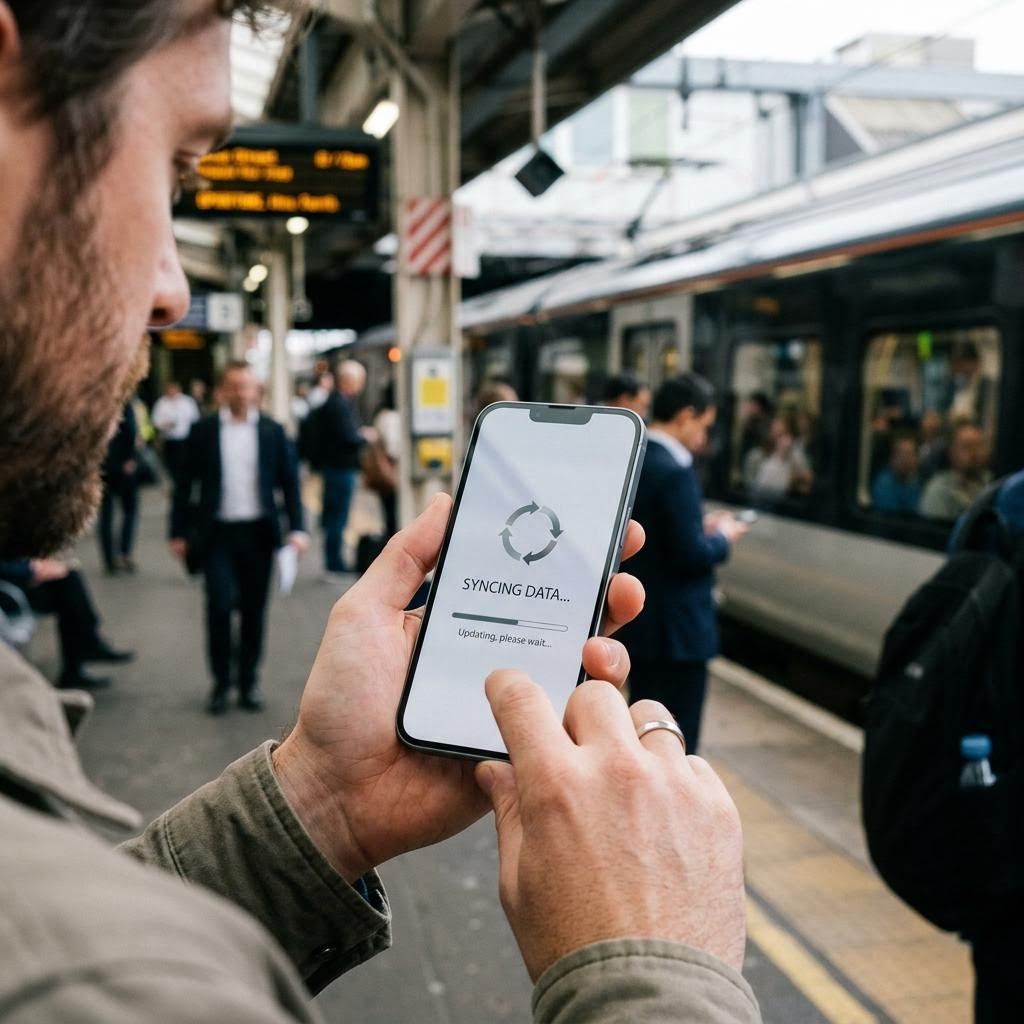
We agree supported devices and test representative conditions. Attachments, location, signatures or identity features add privacy and permission decisions, so they are discussed explicitly. An illustrative field-work image is not a claim that the same workflow fits every sector. Your process and responsibilities determine the design.
Choose a change.
See the design question.
There is no universal conflict rule that is right for every record. A new observation, an edited shared instruction and a large attachment have different consequences when they meet an unreliable network. Explore the examples below to see the kind of decision we make explicit during planning.
These are illustrative approaches, not a live simulation of your systems. The final policy depends on the sensitivity of the information, the available API and who is authorised to resolve a disagreement. Where safety or compliance depends on fresh information, an online-only action may be the correct boundary.
A good install
is only the first stop.
A rollout needs more than an installation link. People need to know how to sign in, what is stored locally, how updates arrive and where to ask for help. Shared devices and personal devices require different choices. We provide guidance around the organisation’s chosen tools rather than implying that we supply hardware or a proprietary device-management platform.
A representative pilot helps check real working conditions before wider distribution. It should include network changes, account recovery and a normal task from start to finish. Release notes, ownership of platform accounts and a clear support route make the transition less dependent on whoever happens to remember the setup.
Built for the day.
Cared for beyond launch.
Operating systems change. Backend interfaces change. The process the app supports may change too. App maintenance keeps those dependencies visible and gives updates a deliberate route through investigation, implementation and checks. We can review an existing project before agreeing a care scope.
Support is defined by the agreement, including supported versions, coverage and exclusions. Our normal contact hours are Monday–Friday, 09:00–18:00 Europe/London, with UK daylight-saving time. This is not an emergency or round-the-clock monitoring service. If continuous operational cover is essential, that requirement needs addressing explicitly before the app becomes business-critical.
Before we set off.
A clear route has room for practical questions. We would rather surface a constraint before a build than make a confident promise that the existing systems cannot support. These are common starting points.
Can you work with our existing backend?
We can assess its API, authentication and data rules. If it cannot support safe mobile retries or version checks, an integration layer or a narrower initial workflow may be needed.
Will the app work completely offline?
Only for the actions and records agreed in scope. Some operations need current server authority. We make these boundaries visible in the interface and documentation.
Do you provide devices or transport services?
No. Our scope is software development, synchronisation, device management guidance and app maintenance. Hardware supply, telecoms and logistics operations are not offered.
Tell us where
the route breaks.
Start with one task that is harder than it should be. Tell us who carries it out, which devices they use, what happens without signal and where the information needs to end up. A redacted example and the names of the current systems are more useful than a long list of aspirational features.
You do not need to send live records or credentials. We can arrange a secure route for technical material if the discussion progresses. For an existing agreed project, use the support form and describe the version, connection conditions and impact. New enquiries and support requests are handled during our published office hours.